Introduction
Many people want to move from CEX to Self-Custody, but one question stops them. But one question stops them.
Will this trigger a tax event?
This confusion is common. Exchanges show balances. Wallets show addresses. Tax rules sound complex. So people delay the move, even when they know self-custody is safer. This guide removes that confusion. You will learn how to move from CEX to self-custody without triggering a tax event in the most common scenarios. See what counts as a taxable action and what does not. You will follow clear, step-by-step instructions. No assumptions. No jargon overload. By the end, you should feel confident enough to move your assets calmly, knowing what you are doing and why.
This is not tax advice. Rules vary by country. But the core principles explained here apply in most jurisdictions and match how tax authorities generally look at crypto transfers.
What Is Self-Custody?
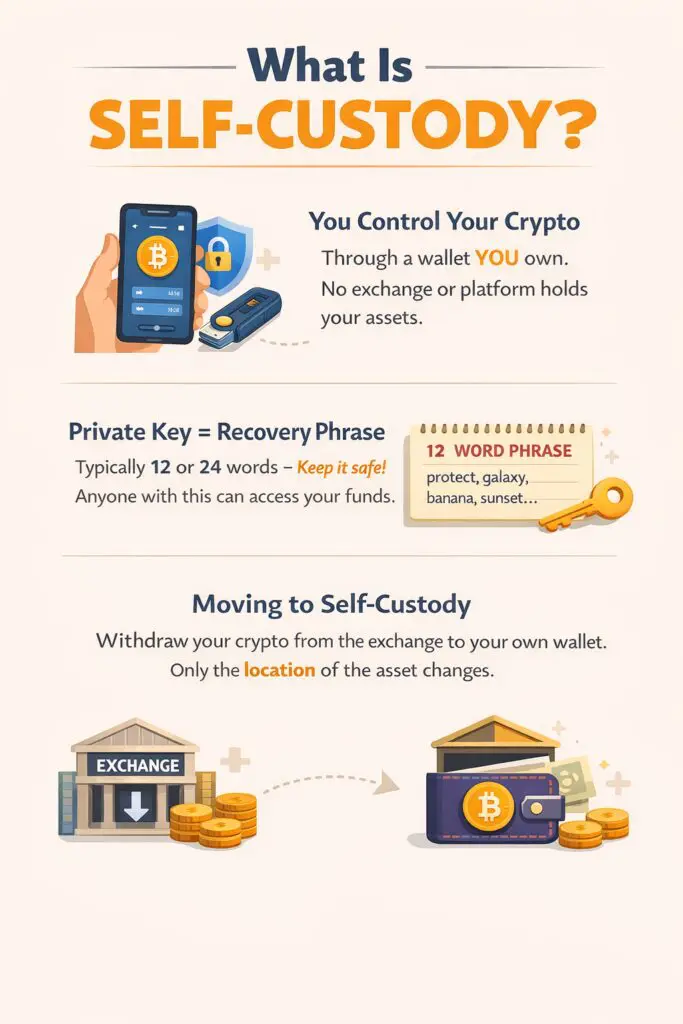
Self-custody means you control your crypto directly through a wallet you own. When you use self-custody, no exchange, company, or platform holds your assets on your behalf. You are not relying on a third party to approve withdrawals, secure funds, or maintain access. Everything depends on your wallet and the private keys linked to it.
A private key is a long, unique code that proves ownership of crypto on a blockchain. It is usually represented as a recovery phrase made up of 12 or 24 words. Anyone with this phrase can access the funds. That is why control matters so much. With a centralized exchange, the exchange controls the private keys. You only see a balance on a screen. With self-custody, you control the keys, which means you truly own the assets.
Moving from a CEX to self-custody usually means withdrawing crypto from the exchange to a wallet address you own. The blockchain records this as a transfer, not a sale. Ownership does not change. Only the location of the asset changes. This distinction is important. It is the foundation for understanding how to move from CEX to self-custody without triggering a tax event.
Why Moving From CEX to Self-Custody Matters
Keeping assets on a centralized exchange is convenient, but it comes with trade-offs. When funds stay on a CEX, you rely on that company for security, access, and withdrawals. If the exchange freezes accounts, limits withdrawals, or faces legal trouble, your funds can be affected.
Self-custody removes that dependency. You can move assets at any time. Easily interact directly with DeFi apps. You can store long-term holdings without platform risk. The tax concern usually comes from misunderstanding one thing.
Taxes are typically triggered when ownership changes or when you dispose of an asset. Examples include selling, swapping, or spending crypto. A simple transfer between accounts you own is usually not considered a disposal.
So when done correctly, moving from CEX to self-custody without triggering a tax event is possible. The key is making sure the transfer is a withdrawal, not a trade, swap, or conversion.
This guide shows how to do that cleanly.
Step-by-Step: How to Move From CEX to Self-Custody Without Triggering a Tax Event
Step 1: Confirm You Are Not Selling or Swapping
Before doing anything, check the action you are about to take. You should be withdrawing the same asset you already hold.
Example:
You hold 1 ETH on an exchange. You withdraw 1 ETH to your wallet.
Do not sell ETH for USDT and withdraw USDT.
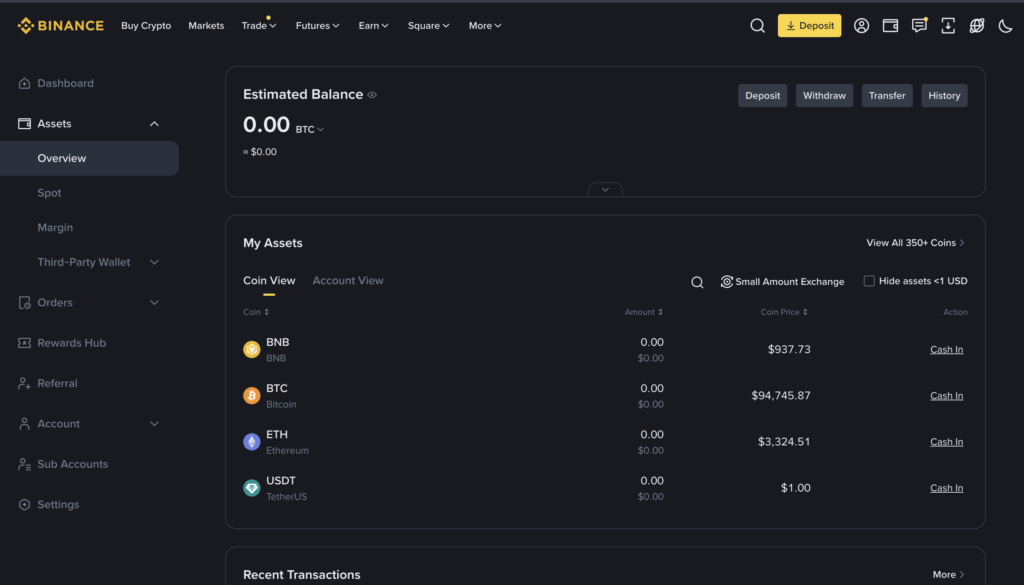
Apps/websites to check your holdings:
- Coinbase (iOS/Android/Web)
- Binance (iOS/Android/Web)
- Kraken (iOS/Android/Web)
- CoinGecko Portfolio (optional, just to track)
Only the first case qualifies when learning how to move from CEX to self-custody without triggering a tax event.
Step 2: Set Up a Self-Custody Wallet
If you already have a wallet, you can skip this step.
Choose a self-custody wallet that supports your asset. Common examples include browser wallets and hardware wallets.
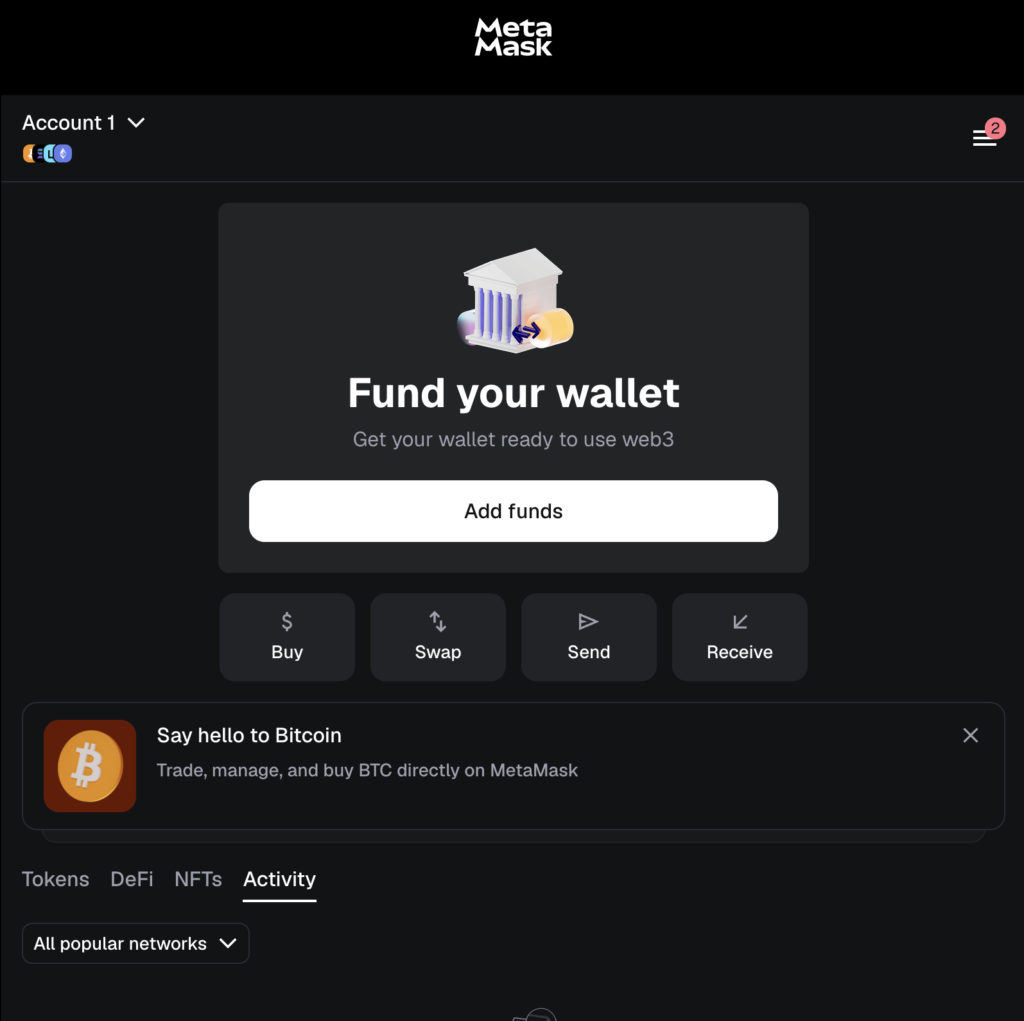
Browser/Software wallets (free, easy to use):
- MetaMask (Chrome/Firefox/Safari extension + iOS/Android app)
- Trust Wallet (iOS/Android)
- Coinbase Wallet (separate from Coinbase exchange app)
Hardware wallets (more secure, offline storage):
- Trezor.
- Ledger Nano S / X
Create the wallet. Write down the recovery phrase on paper. Do not store it online.
This step does not trigger any tax event. Creating a wallet has no tax impact.
Step 3: Copy Your Wallet Address Carefully
Open your wallet.
Select the correct network:
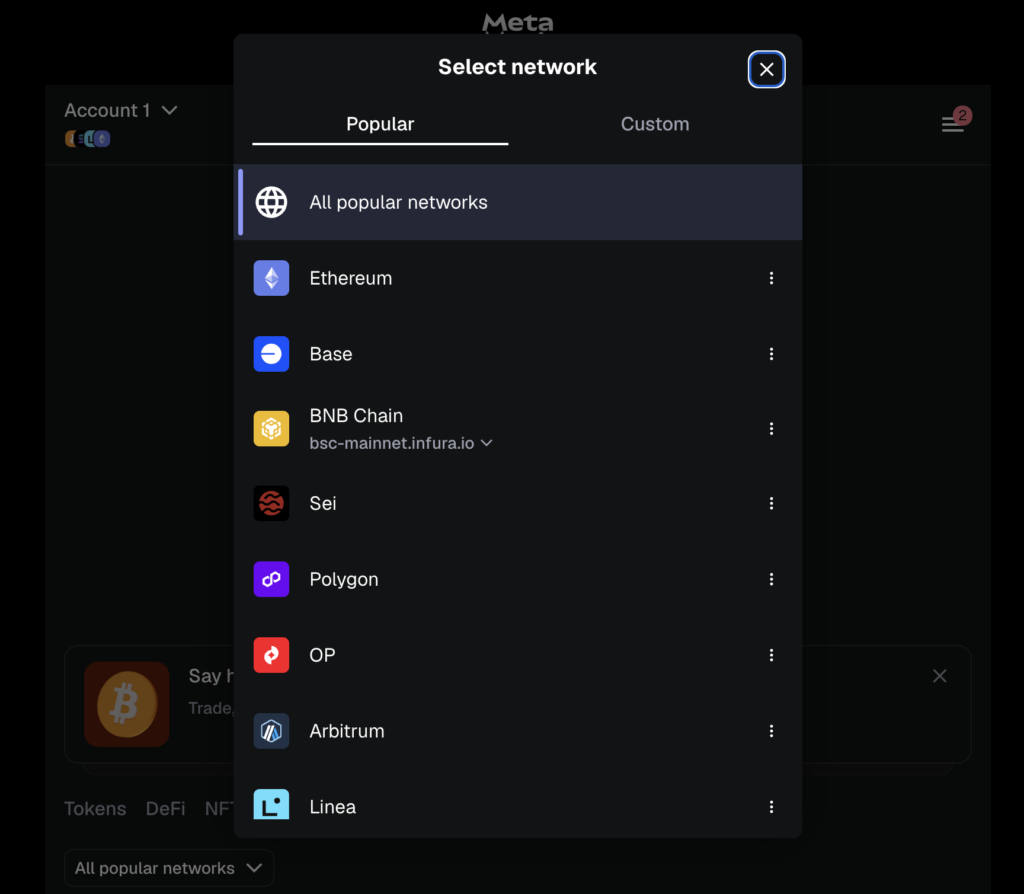
Copy the receiving address. This address is where your funds will go.
Always match the network on the exchange with the network in your wallet. A mismatch can lead to lost funds.
Step 4: Withdraw From the Exchange
Go to the exchange withdrawal page.
- Coinbase → Withdraw → Enter wallet address → Select network → Confirm
- Binance → Wallet → Fiat & Spot → Withdraw → Paste address → Select network → Confirm
- Kraken → Funding → Withdraw → Enter address & network → Confirm
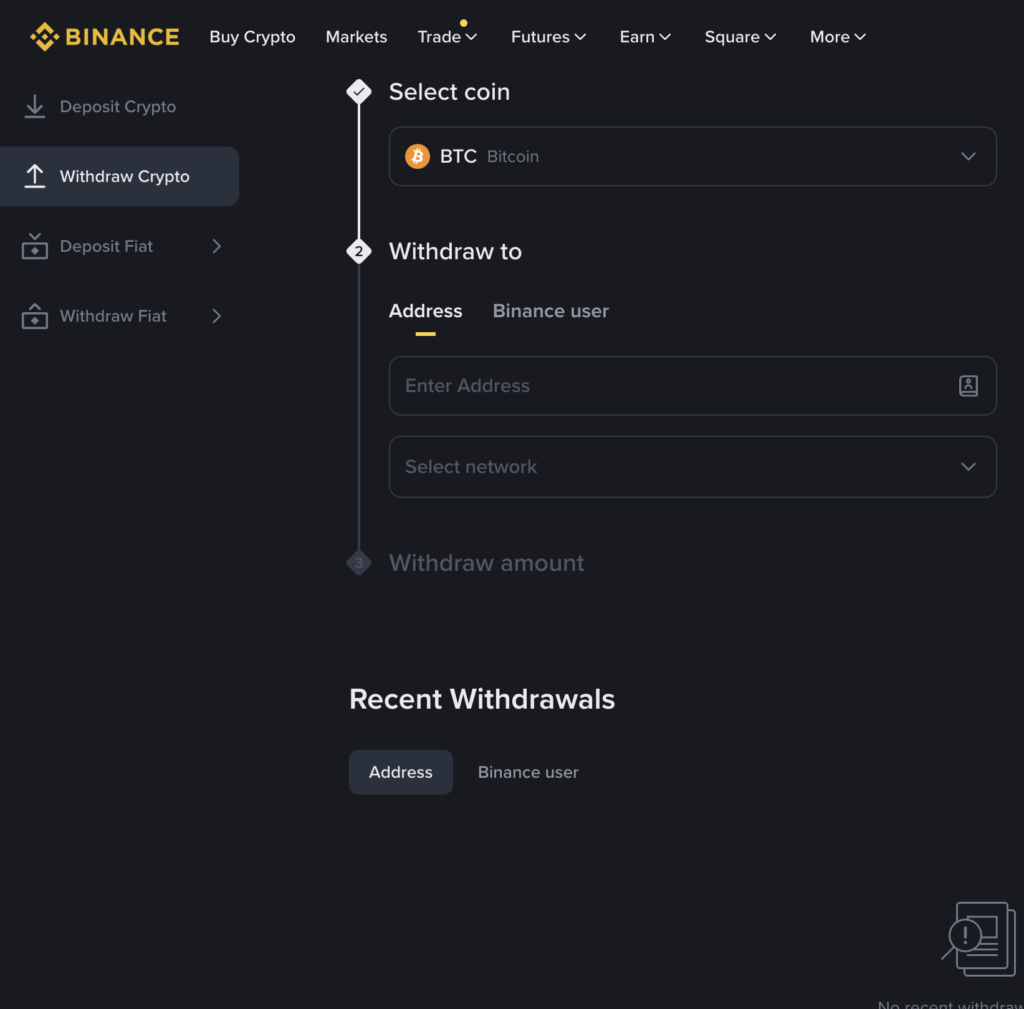
Steps:
- Paste your wallet address.
- Select the same network as your wallet.
- Enter the amount.
- Confirm withdrawal.
At no point should you convert the asset. This is the core rule when you want to move from CEX to self-custody without triggering a tax event.
Step 5: Save the Transaction Record
After withdrawal, save the transaction ID.
Most exchanges provide a withdrawal history.
How to Save:
- Screenshot the withdrawal confirmation page.
- Copy the TXID (transaction ID).
Check your transaction on blockchain explorers:
- Ethereum: https://etherscan.io
- BSC: https://bscscan.com
- Polygon: https://polygonscan.com
Tip: Keep these records in a folder for at least 2–3 years.
This record helps prove the transfer was between wallets you control. It is useful for tax reporting and audits.
Common Mistakes and How to Avoid them
Best Practices and Safety Tips
Start with a small test transaction.
Before moving a large balance, send a small amount first. This confirms the address is correct, the network is matched, and the wallet receives funds as expected. A test transfer reduces stress and prevents costly mistakes.
Keep clear records of every withdrawal.
Save screenshots, CSV exports, or transaction IDs from the exchange. These records help show that the movement was a transfer, not a sale. If you ever need to explain activity to an accountant or tax authority, documentation matters.
Use one wallet per purpose when possible.
For example, keep long-term holdings in one wallet and active DeFi usage in another. This separation makes tracking easier and avoids confusion when reviewing transaction history later.
Avoid mixing personal and business wallets.
If you use crypto for business activity, keep those funds in a separate wallet. Mixing them can complicate accounting and increase the risk of reporting errors.
Review local tax rules once a year.
Tax guidance can change. A short annual review helps ensure your understanding is still accurate. You do not need to check rules every week. Just stay informed.
Together, these habits make moving from CEX to self-custody without triggering a tax event easier to execute, easier to explain, and easier to document.
FAQs – Move From CEX to Self-Custody
Is moving crypto from an exchange to my wallet taxable?
Do I need to report CEX to wallet transfers?
What if the exchange charges a withdrawal fee?
Does this apply to all cryptocurrencies?
What about NFTs?
Can I move funds back to a CEX later?
We’ll continue tracking how this community evolves and share insights on OCT and similar projects in future deep dives.